Managing a restaurant without data is operating blind. Kitchen Stocker's reports centralise raw material, purchasing and waste KPIs in a single dashboard, updated in real time, with no need to export to Excel or build pivot tables. Make decisions with real information, not estimates.
What's included
- Dashboard with real-time KPIs
- Weekly and monthly food cost trend
- Spend by supplier and category
- Multi-location comparison
- Export to CSV and PDF
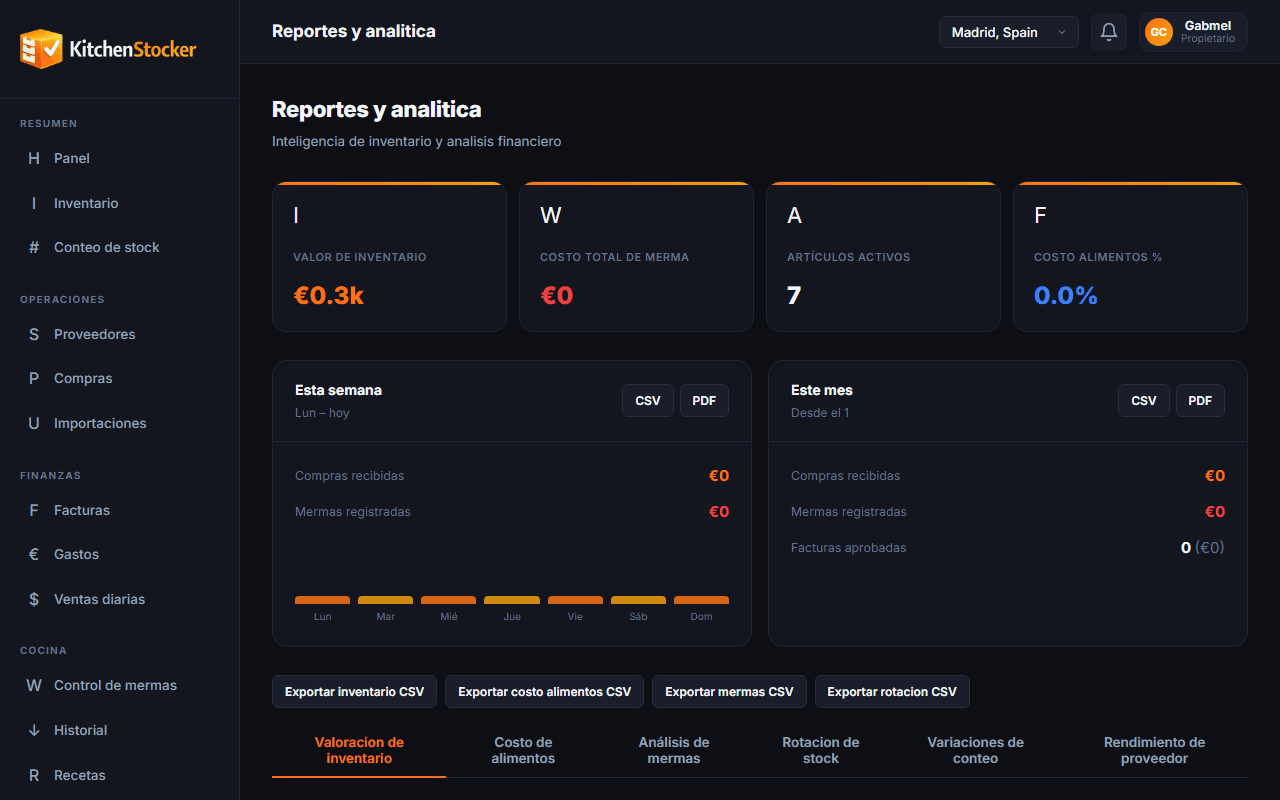
Profitability Reports · app.kitchenstocker.com
How it works
Data in the main dashboard
As soon as you open Kitchen Stocker, you see the current inventory value, the period's food cost, accumulated waste and the week's purchasing spend.
Reports by period
Filter any report by day, week, month or custom range. Compare periods to spot trends: was food cost better or worse in July than in June?
Drill down into the details
From the summary you can drill down: which supplier accounts for the most spend, which category has the most waste, which dish has the highest food cost.
Export and share
Download any report as a PDF to present it, or as a CSV to work with in Excel or send to your accountant.
Who is this module for?
Owner
Reviews last week's KPIs every Monday without needing anyone to prepare a report. Sees if food cost is drifting before it affects the monthly result.
Operations director
Compares the performance of all locations on a single screen. Identifies which one needs attention and with what data.
Controller or external accountant
Downloads purchasing and waste reports as CSV directly from Kitchen Stocker, without depending on the restaurant to send files.
Frequently asked questions
What KPIs does the Kitchen Stocker dashboard include?
Current inventory value, period food cost (theoretical and actual), total waste in euros and percentage, purchasing spend by supplier and category, and a multi-location comparison if you have more than one.
Can I schedule automatic reports?
Automatic report delivery by email is on the roadmap. For now you can generate and download any report at any time with two clicks.
Are reports real time or updated daily?
Dashboard data is real time: every inventory movement, purchase or logged waste entry is reflected immediately. Period closing reports consolidate data when the day is closed.
Can I view the report history from previous months?
Yes. Kitchen Stocker keeps the full history from the moment you activated your account. You can access any past period and compare it with the current one.
Other Kitchen Stocker modules
Start free with Profitability Reports
No credit card. No installation. Cancel anytime.