Inventory is the starting point of any profitable operation. Without knowing what's in the walk-in fridge, the refrigerator and the stockroom, you can't buy well, cost dishes properly or detect losses. Kitchen Stocker turns stock control into a continuous process, not a three-hour weekly chore.
What's included
- Stock by location and stockroom
- Minimum levels with automatic alerts
- Full movement history
- Inventory count with automatic variance
- Import from CSV or Excel
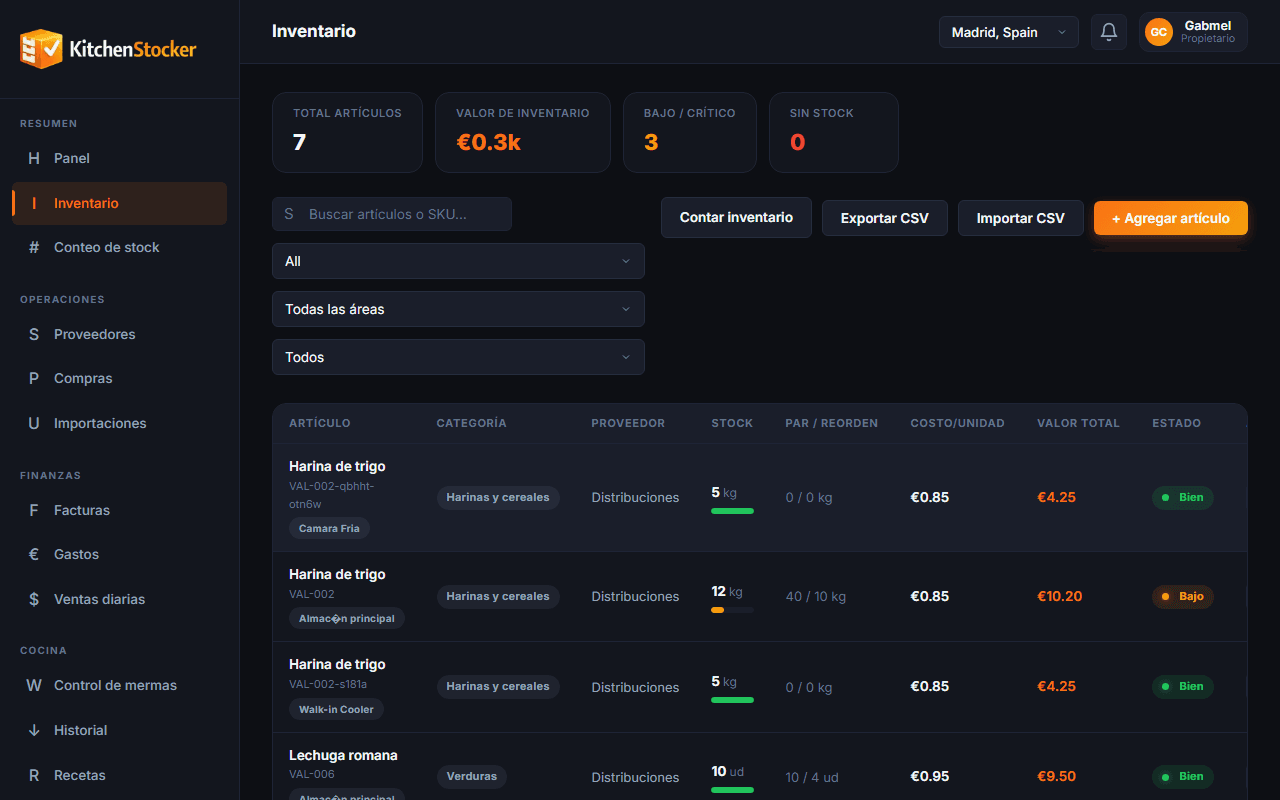
Inventory Control · app.kitchenstocker.com
How it works
Define your catalogue
Create products with name, unit of measure, category and par level. Import from Excel if you already have a list.
Log every movement
Supplier deliveries, recipe consumption, transfers between locations and manual adjustments are all logged with date, user and reason.
Check stock in real time
From the dashboard or the mobile app, you know at any moment how much of each product you have and where, with the economic value calculated.
Act on alerts
When a product falls below its minimum level, you get a notification. From there you can launch a purchase order in one click.
Who is this module for?
Head chef
Does the count from a tablet without leaving the kitchen. Sees variances instantly and detects any unregistered losses.
Owner or operations director
Checks the stock value across all locations from the central dashboard, without needing to call or request reports.
Stockroom manager
Logs receipts, confirms orders and manages transfers between areas without paper and without transcription errors.
Frequently asked questions
How often do you need to do inventory counts with Kitchen Stocker?
It depends on your operation. Many customers do a full monthly count and weekly counts for key products (drinks, proteins). The system supports any frequency.
Can I import my products from Excel?
Yes. Kitchen Stocker accepts CSV files with columns for name, unit, category and opening stock. The import takes less than five minutes.
What happens if there are differences between the theoretical stock and the physical count?
The system calculates the variance automatically and records it as an adjustment. You can add a reason (waste, theft, logging error) so it stays documented.
Does it work with multiple stockrooms within the same location?
Yes. You can define zones within each location, such as walk-in fridge, cellar and dry stockroom, and manage each one's stock separately.
Other Kitchen Stocker modules
Start free with Inventory Control
No credit card. No installation. Cancel anytime.