Paper delivery notes get lost, invoices arrive late and entering data by hand causes errors. Kitchen Stocker's OCR module turns any supplier invoice or delivery note into structured data with a single photo. It automatically cross-references the purchase order and alerts you if prices or quantities don't match.
What's included
- OCR scanner: photo, PDF or phone camera
- Automatic cross-reference with purchase order
- Alert for price or quantity discrepancies
- Export to PDF and CSV for accounting
- Digital archive of all invoices
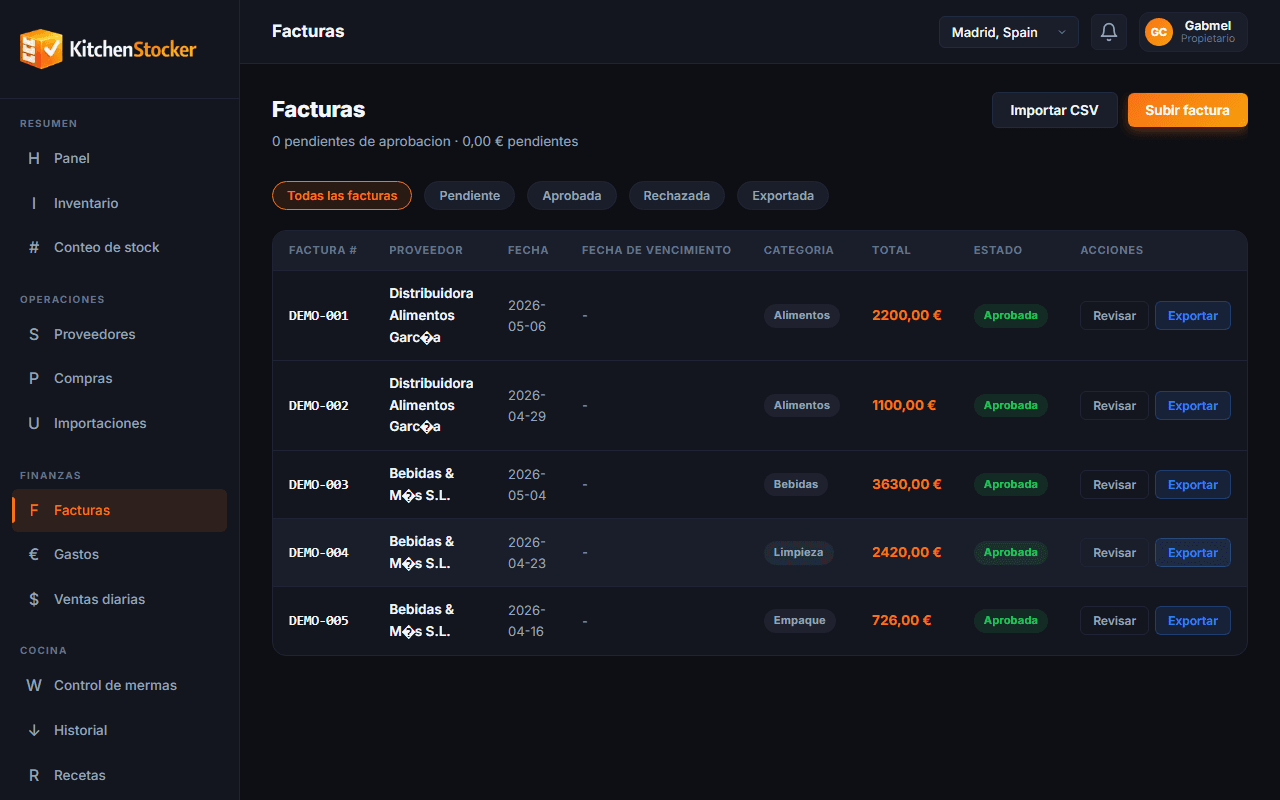
Digital Invoices with OCR · app.kitchenstocker.com
How it works
Upload the document
Take a photo with your phone, upload a PDF or scan the delivery note. Kitchen Stocker accepts any format.
OCR extracts the data
The recognition engine reads supplier, products, quantities, unit prices and total. Review the extracted data in seconds before confirming.
Cross-reference with the order
If an associated purchase order exists, Kitchen Stocker compares line by line. Any price or quantity difference is flagged for your review.
Archive and export
The invoice is stored digitally with all its data. You can export to CSV or PDF for your accountant or accounting software.
Who is this module for?
Stockroom manager
Receives the delivery, photographs the delivery note and confirms receipt in under a minute, with no paper or transcriptions.
Administrator or controller
Downloads all the month's invoices as a CSV and uploads them to accounting without having to gather paper copies from each location.
Owner
Automatically detects if a supplier has raised prices without notice, thanks to the discrepancy alert.
Frequently asked questions
How accurate is the OCR?
Accuracy depends on image quality and the format of the delivery note. For standard supplier invoices the success rate exceeds 95%. You can always review and correct before confirming.
Does it work with PDF invoices that suppliers send by email?
Yes. You can upload PDFs directly from your computer or forward the email to a capture address that Kitchen Stocker processes automatically.
Are digitised invoices valid for tax purposes?
Kitchen Stocker stores the original document exactly as it arrived. Tax validity depends on current e-invoicing regulations and whether the supplier issues an original invoice. Check with your tax adviser.
Can I export invoices to my accounting software?
Yes. The module exports to CSV compatible with the main accounting systems. Direct integration with specific accounting software is on the roadmap.
Other Kitchen Stocker modules
Start free with Digital Invoices with OCR
No credit card. No installation. Cancel anytime.