When you have more than one location, complexity multiplies: each restaurant has its own stock, its own suppliers and its own team. Coordinating everything with calls and separate spreadsheets doesn't scale. Kitchen Stocker is built for restaurant groups, franchises and multi-location operators who need central visibility without losing local control.
What's included
- Up to 3 locations on the Professional plan
- Roles: owner, administrator, manager, operator
- Stock transfers between locations
- Consolidated and per-location reports
- Switch location in one click
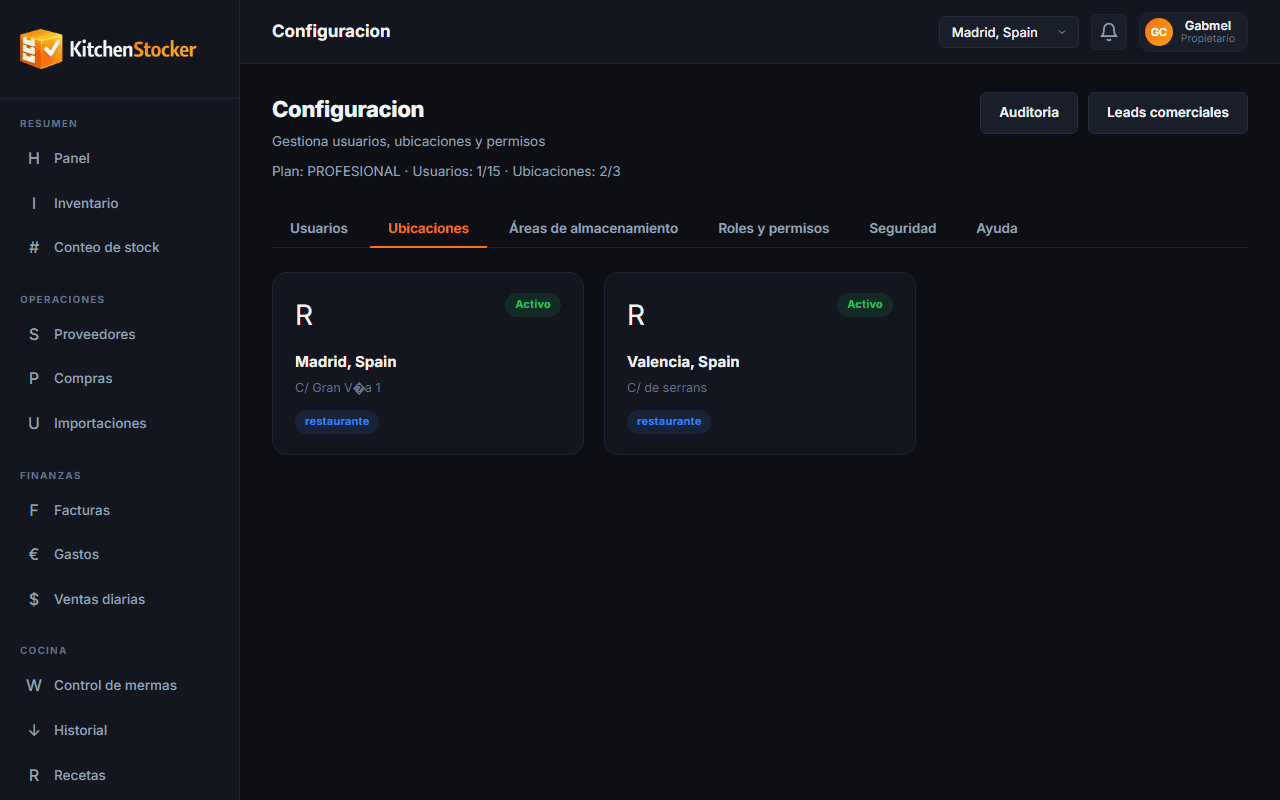
Multi-location & Roles · app.kitchenstocker.com
How it works
Set up your locations
Add each restaurant or dark kitchen as an independent location with its own inventory, suppliers and users.
Assign roles to your team
The owner sees everything. The administrator manages a full location. The manager only sees their section. The operator logs movements without access to financial data.
Transfer stock between locations
When one location needs stock from another, create a transfer. Stock decreases at the origin and increases at the destination, recorded with date, user and reference.
Consolidate data in the central dashboard
From your owner account you see the KPIs for all locations together or separately: total inventory, consolidated food cost, waste by location.
Who is this module for?
Chain or group owner
Controls the performance of all locations from a single screen, without relying on each manager to send a report.
Franchise operations director
Ensures all locations follow the same inventory and purchasing procedures, with full visibility into each one.
Location manager
Works independently within their restaurant and only sees data for their location, with no access to confidential information from other locations or the group.
Frequently asked questions
How many locations can I manage with Kitchen Stocker?
The Professional plan includes up to 3 locations. For groups with more locations there is an Enterprise plan with unlimited locations. Contact us for Enterprise information.
Does each location have its own independent inventory?
Yes. Each location has its own product catalogue and stock, although they share the same group reference catalogue if you configure it that way.
Can I restrict a user's access to a single location?
Yes. Users with a manager or operator role only see and manage the location they are assigned to. Owners and global administrators have access to all locations.
Do transfers between locations affect inventory automatically?
Yes. As soon as you confirm a transfer, stock decreases at the origin location and increases at the destination, with the movement recorded in both locations' history.
Other Kitchen Stocker modules
Start free with Multi-location & Roles
No credit card. No installation. Cancel anytime.